UpdateRoom
UpdateRoom is a web application that lets you view and update the firmware of supported Acroname devices. UpdateRoom is accessed through the ControlRoom app, but it does not require the ControlRoom add-on feature license to be active on the Acroname device.
Installation
Launch ControlRoom to start the BrainD background service
Windows
Start ControlRoom by selecting it in the Start Menu under “Acroname”
Acroname’s 3-dot icon (
) will appear in the System Tray, or in Hidden Icons
Right click to pop up the ControlRoom menu
Mac
Launch the ControlRoom app from the applications folder
Acroname’s 3-dot icon (
) will appear in the Mac menu bar
Launching UpdateRoom viewer
With BrainD running in the background, in the pop up / drop down menu, select “Open UpdateRoom” to launch the viewer in a browser.
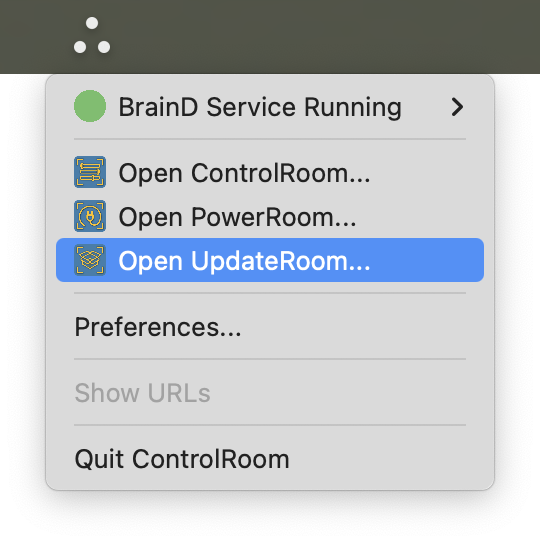
Launching UpdateRoom viewer from ControlRoom popup menu
UpdateRoom viewer
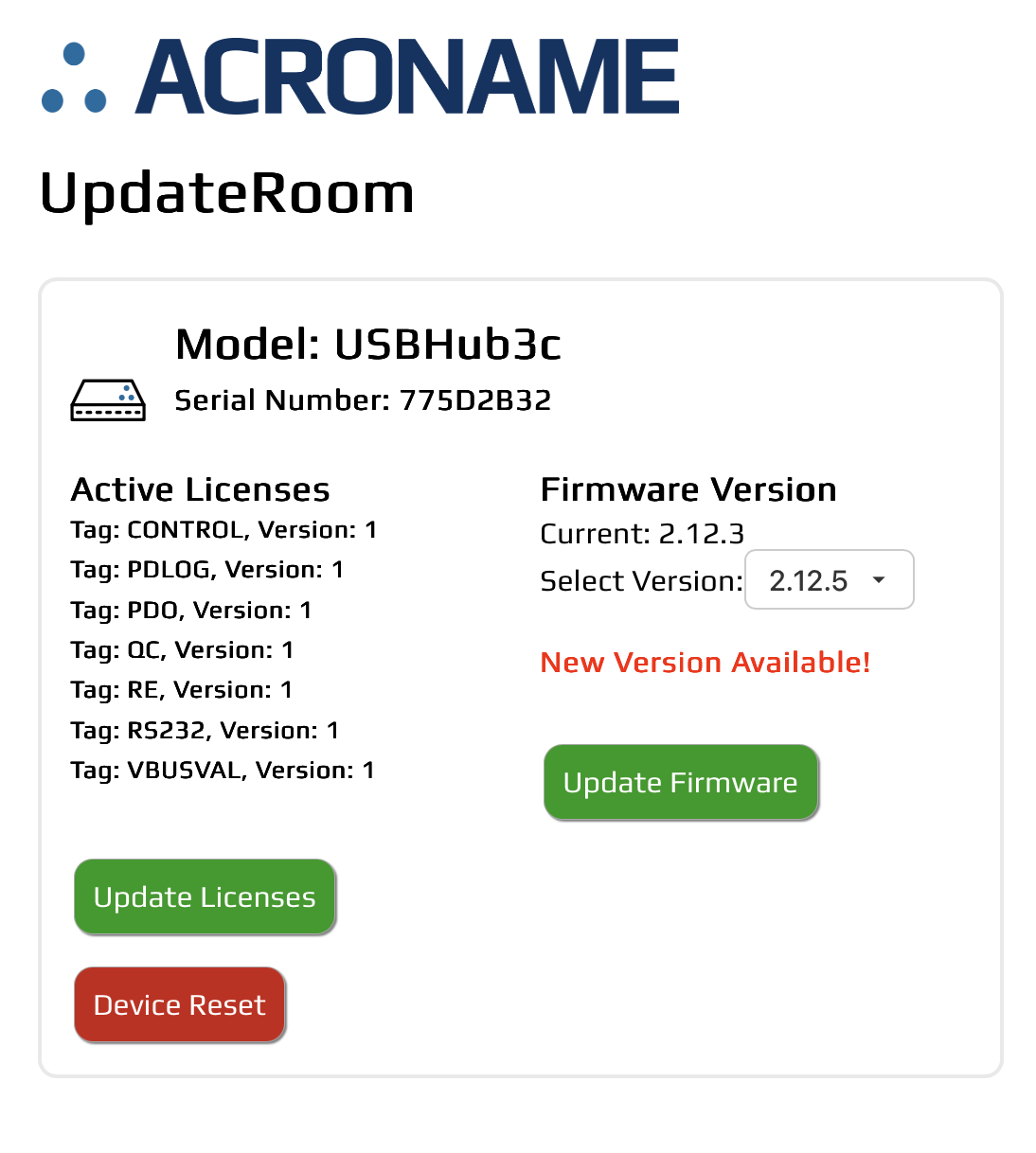
UpdateRoom view with one USBHub3c
The UpdateRoom viewer web app shows:
Hub model
Serial number
Active licenses
Current and available firmware versions
Available actions:
Update Licenses: Refresh license list from Acroname servers
Device Reset: Power cycle device
Update Firmware: Install selected firmware version