PowerRoom
PowerRoom is a web interface that lets you monitor dynamic power allocation, voltage, and actual power provided or accepted on each port of supported Acroname devices. PowerRoom is accessed through the ControlRoom app and requires an Acroname device with the ControlRoom add-on feature license.
Installation
Launch ControlRoom to start the BrainD background service
Windows
Start ControlRoom by selecting it in the Start Menu under “Acroname”
Acroname’s 3-dot icon (
) will appear in the System Tray, or in Hidden Icons
Right click to pop up the ControlRoom menu
Mac
Launch the ControlRoom app from the applications folder
Acroname’s 3-dot icon (
) will appear in the Mac menu bar
Launching PowerRoom viewer
With BrainD running in the background, in the ControlRoom pop up menu, select “Open PowerRoom” to launch the viewer in a browser.
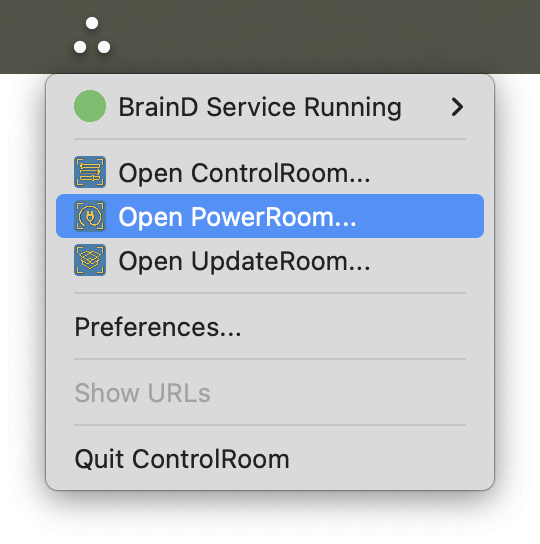
Launching PowerRoom viewer from ControlRoom popup menu
PowerRoom viewer
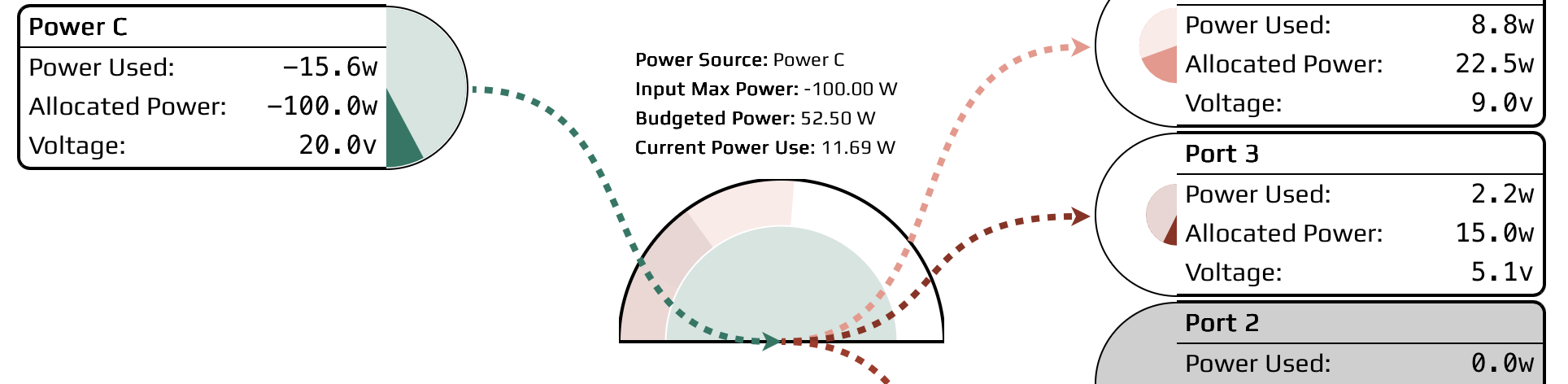
The PowerRoom viewer web app shows the power flow and allocation for each port on connected Acroname devices. Negative values (green) indicate power flowing into a port, while positive values (red) indicate power flowing out. Each port presents a semicircle graph indicating power metrics: the lighter full 180-degree arc represents total allocated power, while the darker overlapping arc shows actual power used.
The center Power Allocations graphic panel presents the overall system power.
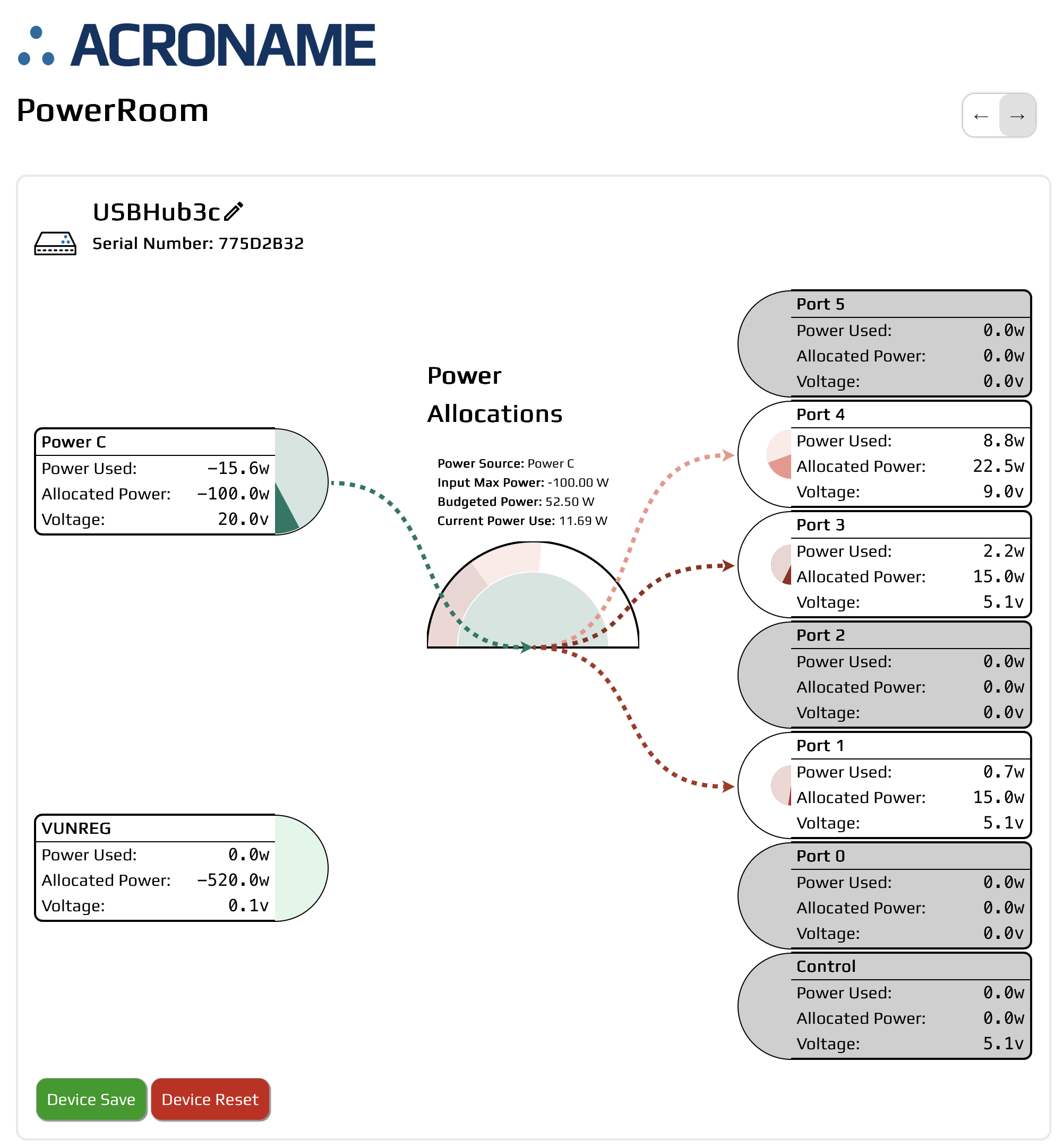
PowerRoom example with a USBHub3c
In the example above, one USBHub3c is connected with power input on PowerC and output on ports 4, 3, 1:
Power Source: Power C (rear port)
Input Max Power: -100.00 W
Budgeted Power: 52.50 W
Current Power Use: 11.69 W
Inputs:
PowerC: USB-C power input - 100 W max
VUNREG : Unregulated DC power input - max 520 W, 6-48 V
Outputs:
Ports 5 - 0
Control
Arrows on the upper right switch the diagram orientation from PowerC and DC inputs on the left to the right.
Save / Reset
Save the hub state
Reset the hub
PowerRoom extender-specific features
When using a USB extender pair such as USBExt3c, PowerRoom shows the pair of devices, power flow over the HDBaseT-USB3 link and additional power-over-ethernet (PoE) information.
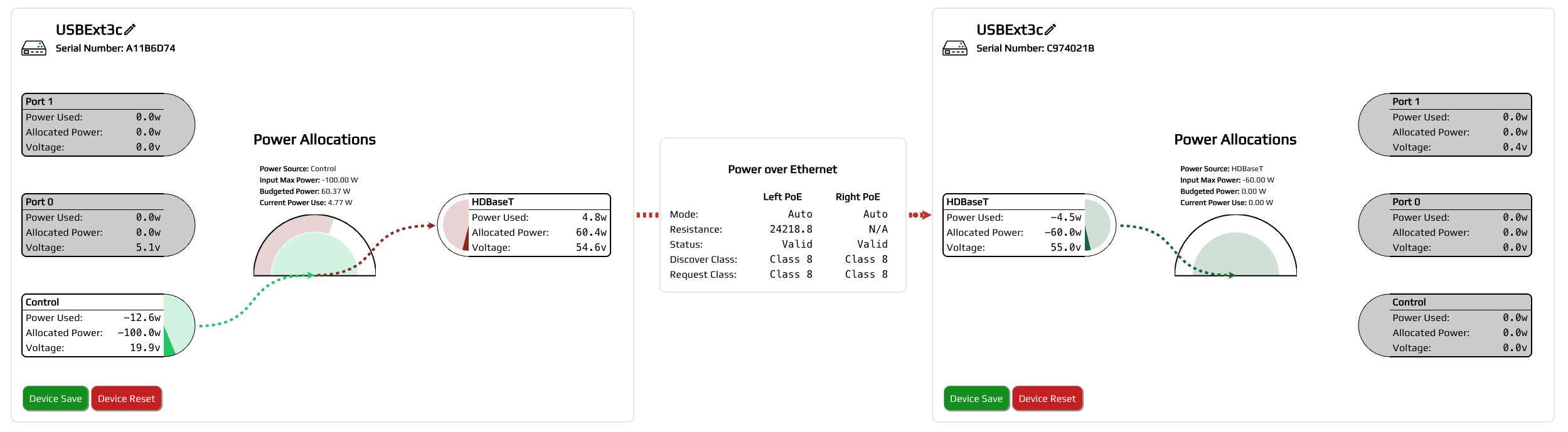
PowerRoom with a USBExt3c pair