
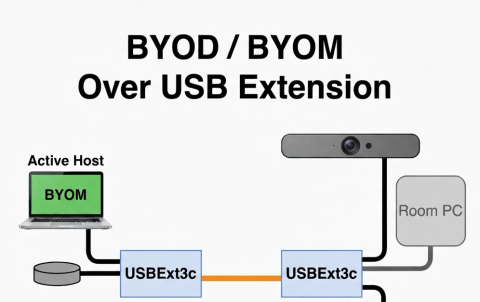
Conference rooms are usually built around one native conferencing platform (Microsoft Teams Rooms, Zoom Rooms, or Google Meet) hosted by a dedicated Room PC or appliance. The room's peripherals like video bars, cameras, and speakerphones are connected to that PC.
When a user wants to host a meeting a different platform, the room peripherals need to become available to their laptop instead. This is Bring Your Own Meeting (BYOM): the AV stays with the room, but is connected to the laptop.
In huddle rooms, where the table is within a meter or two of the Room PC, USB host switching alone is sufficient to hand the peripherals back and forth. Most rooms past that scale bump up against USB cable length limits, with passive USB-C maxing out at a meter or two. This limitation means that USB extension is also required.
One platform for extension, switching, and power
USBExt3c combines USB extension, host switching, and USB Power Delivery in a single platform. The system is a pair of identical units, one at each end of a Cat6A link, extending USB 3 and USB 2 between them. Any port on either end can act as a host port or a peripheral port.
That is what makes it work for BYOM. The active host can be at the front of the room or at the table, and peripherals on both ends are available to whichever host owns the room.
Normal operation
The Room PC sits at the front-of-room near the display and video bar. One of the two USBExt3c units is installed near the Room PC and linked over Cat6A to the other at the conference table where it is connected to a speakerphone. The Room PC is the active host: the video bar and speakerphone are assigned to it, and the room runs meetings on its native platform.
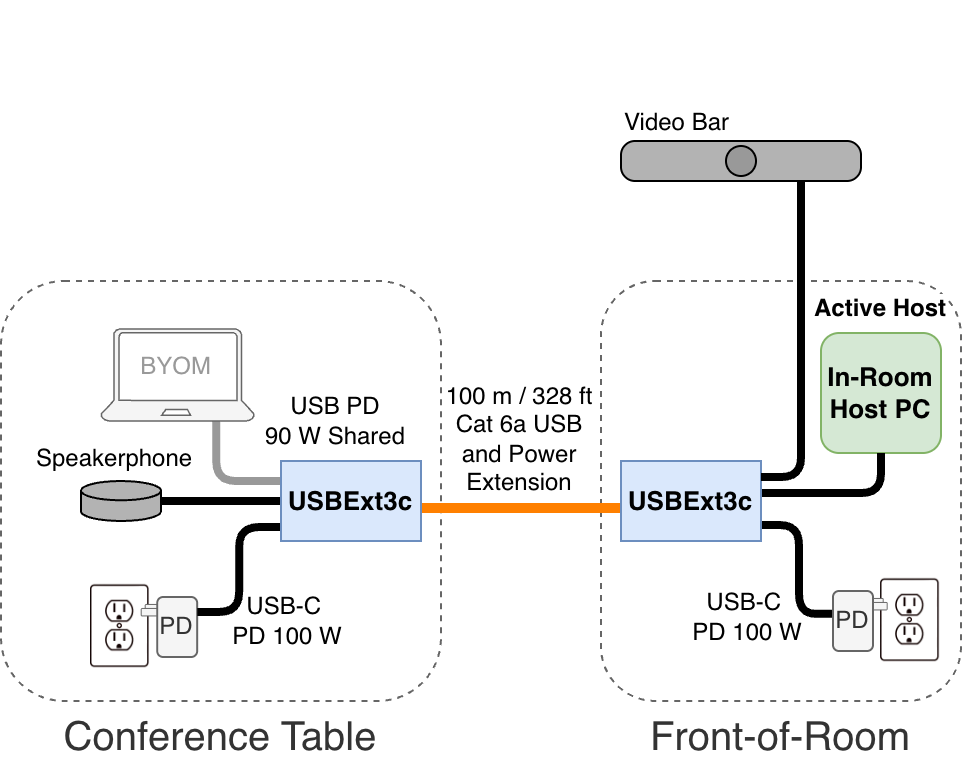
Diagram 1: Normal operation — Room PC controls peripherals
Guest Laptop as host
When a presenter connects a laptop to the table-side USBExt3c, host ownership transfers from the Room PC to the laptop. The laptop charges over the same connection and gains access to the video bar, speakerphone, and other peripherals through normal USB enumeration. To the presenter, the room AV appears as locally connected USB devices, ready to use in Teams, Zoom, Meet, or other application.
The active USB host can move between opposite ends of the extension, while peripherals on either end remain available to whichever host currently owns the room AV system.
When the laptop disconnects, peripheral ownership automatically reverts to the room PC, ready for the next native meeting.
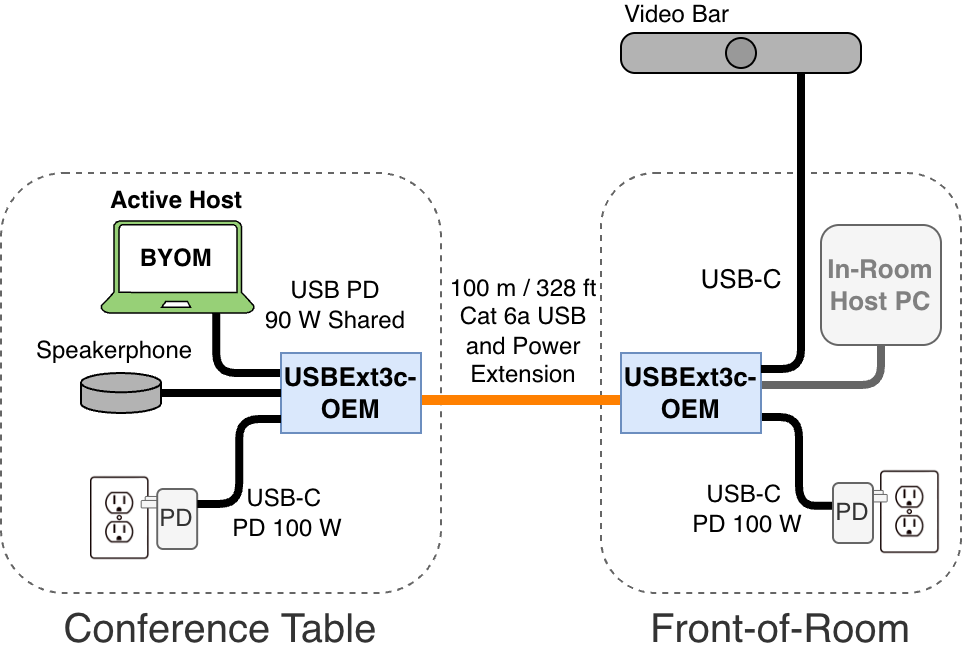
Diagram 2: BYOM laptop connected — laptop controls peripherals
Power from either end
USBExt3c extends both USB data and power across the Cat6A link, in either direction. Conference tables don't always have a conveniently-located outlet. A single power supply located at the front of the room can power both USBExt3c units, the guest laptop, and downstream peripherals without AC power at the table. Local power at the table increases the total USB power budget.
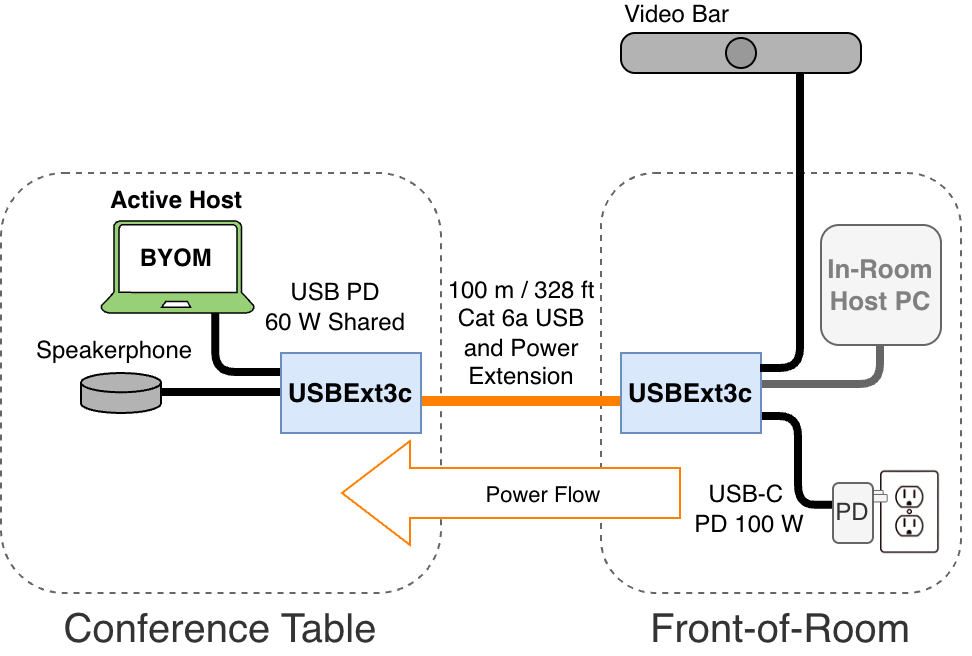
Diagram 3: Power extension to the conference table
Choosing the right solution
Not every room needs extension. In a huddle room where the table is beside the Room PC, a host switch on its own may be enough. Beyond that, you need USB extension and switching together. USBExt3c lets you place the Room PC, BYOM laptop, and peripherals where they make sense for the room layout, and hand off the AV system cleanly between hosts.
USBExt3c also integrates with room control and management systems over Ethernet, USB, and RS-232, We'll cover monitoring, automation, and room-control integration in a follow-up article.
Add New Comment