USB-C-Switch Pro has the ability to sniff and log USB-PD negotiations.
PD logging tab view
PD logging is a software add-on feature enabling capture, logging, and decoding of USB PD communications on all USB-C ports of the hub, including power negotiations and timing. At the top of the panel are logging controls and port selection toggles.
Stop - stops logging
Import - imports a CSV log file
Export - exports a CSV log file (stop logging before export)
Clear - clears the PD log
Below these controls is the PD packet log. The left axis is the row number, which resets when the log is cleared.
Columns can be filtered by clicking the filter icon () on the column headings:
PD packet log headings
Time - clicking on this heading cycles among time references:
Hub time (s) - time since the hub powered on
App time (hh:mm:ss) - time since the HubTool App was launched
System time (yyyy.MM.dd hh:mm:ss:zzzz) - date and time
Port - Mux ports (0-3), Common (4)
<-> - message direction - RX, TX, or ‘-’ (none)
Spec - USB PD version
SOP* - “Start Of Packet”
SOP - for messages between source and sink
SOP’ - for messages to the cable connector closest to the downstream-facing port (DFP)
SOP” - for messages to the cable connector closest to the upstream-facing port (UFP)
Power - sink, source, none
Data - UFP, DFP, ‘-’
ID - message ID, (0 – 7), increments with each new message. Acknowledgements should match message ID
Event type - description of the event
Packet type
Control - short messages that typically require no data exchange
Data - messages contain data objects that are transmitted between devices
Extended - data messages with larger data payloads
Message type - description of message
Raw - raw PD message (hexadecimal)
Below the packet log:
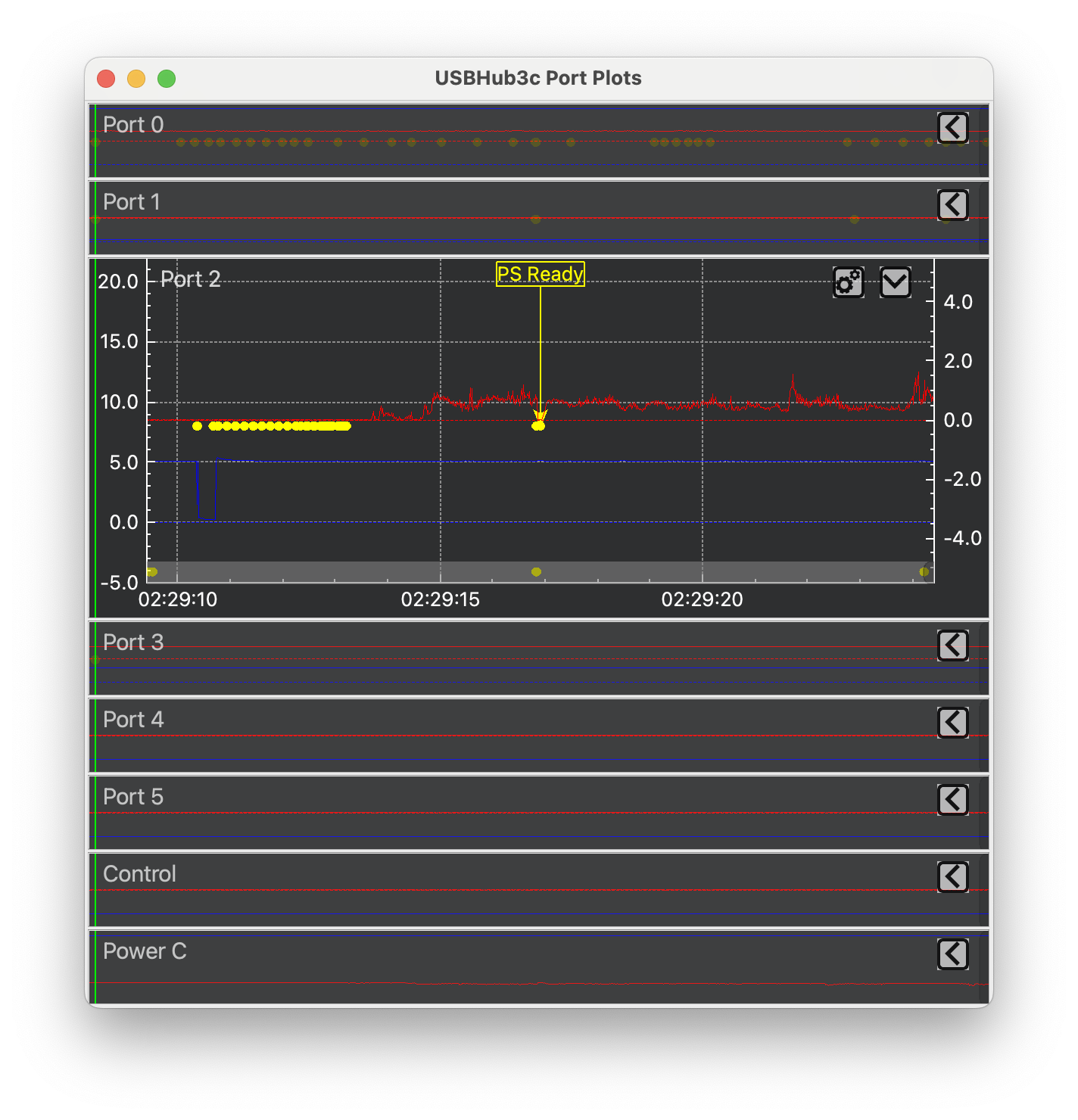
Show Graph toggle - when checked, clicking on an event highlights the corresponding PD packet. Clicking on a yellow PD message in the plot highlights the corresponding message in the log
Graph view with highlighted PD packet
Auto Export toggle - when checked, logs are stored automatically. Destination is visible on mouseover.

 ) on the column headings: