Acroname Blog

11 months 3 weeks ago
 We sometimes get questions about how to use the control port on our industrial USB Hubs.  Each hub works a little differently:USBHub2x4USBHub2x4 is our compact two-host, four-port USB 2.0 hub.No control portDefaults to automatic host switching between  host ports (port 0 priority)…

2 years 5 months ago
Simplify device sharing and streamline control with USBHub3+ Automatic switching By default, the USBHub3+ will automatically switch to upstream host 0 if available.  This enables simple peripheral device sharing, where a dedicated PC could be connected to the host "Up 1" port, and an…
3 years 6 months ago
The USBHub3c from Acroname is also capable of being used as a power delivery analyzer. The backbone of the PD analysis is Acroname’s HubTool. HubTool allows complete control over nearly all power features within the hub.An optional upgrade to the USBHub3C within the HubTool is PD logging. This…
5 years ago
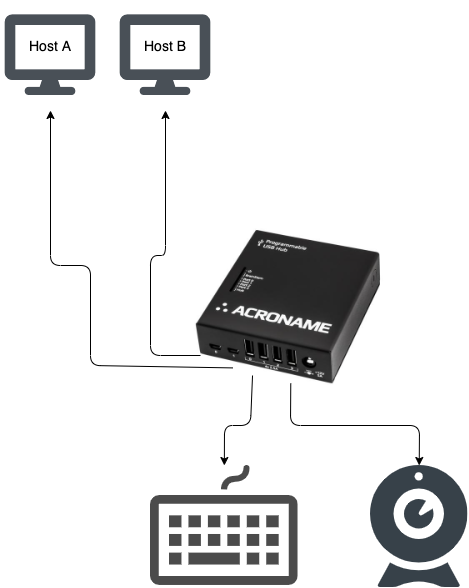
How to Accomplish a Host Switch With the USBHub2x4Often a simple USB switch with a physical button is used to switch USB devices between two different host computers. In many cases it would be nice to execute the host switch without physically pushing a button on the device. The Acroname…
6 years 8 months ago
 How to Automate Offline Backups Manually If your organization connects any device to the Internet, it’s vulnerable to foreign and domestic hackers, ransomware, leakware, and data theft. The security experts tell you to manually back up your data and systems every week. But in the…
10 years ago
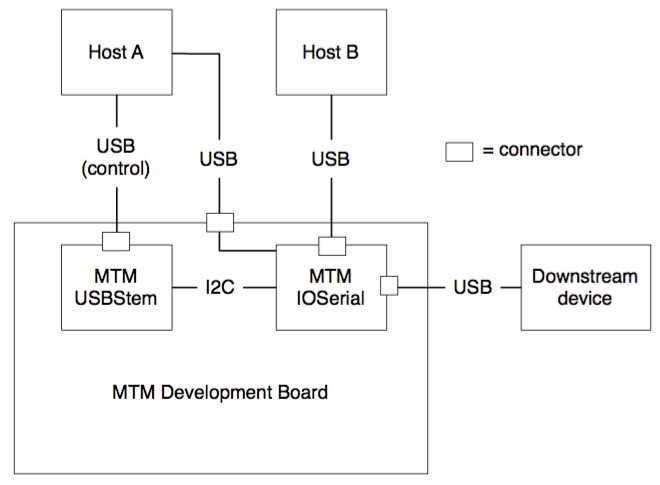
How to use USBHub2x4 and MTM to work with multiple host machinesIn short, the best setup for you is determined by the type of handoff you would like between host machines and the flexibility you have to modify those host machines. Host 0 makes all…