
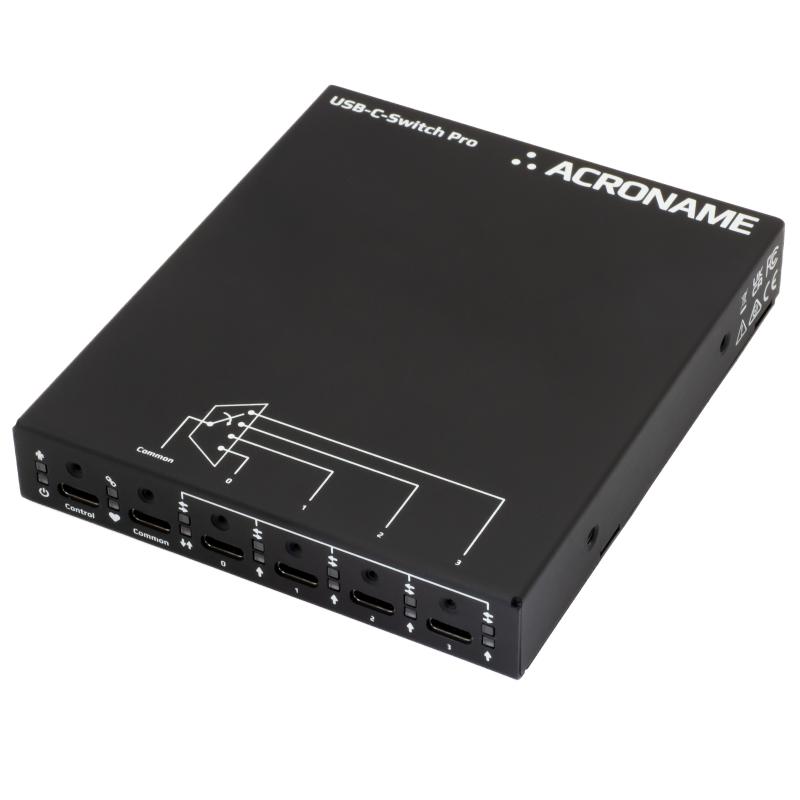
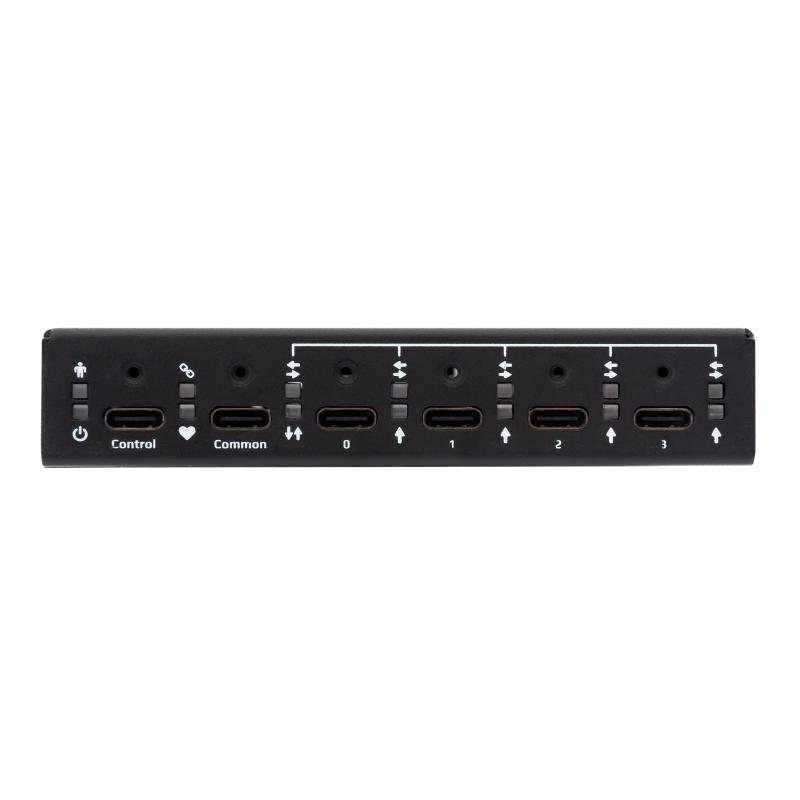
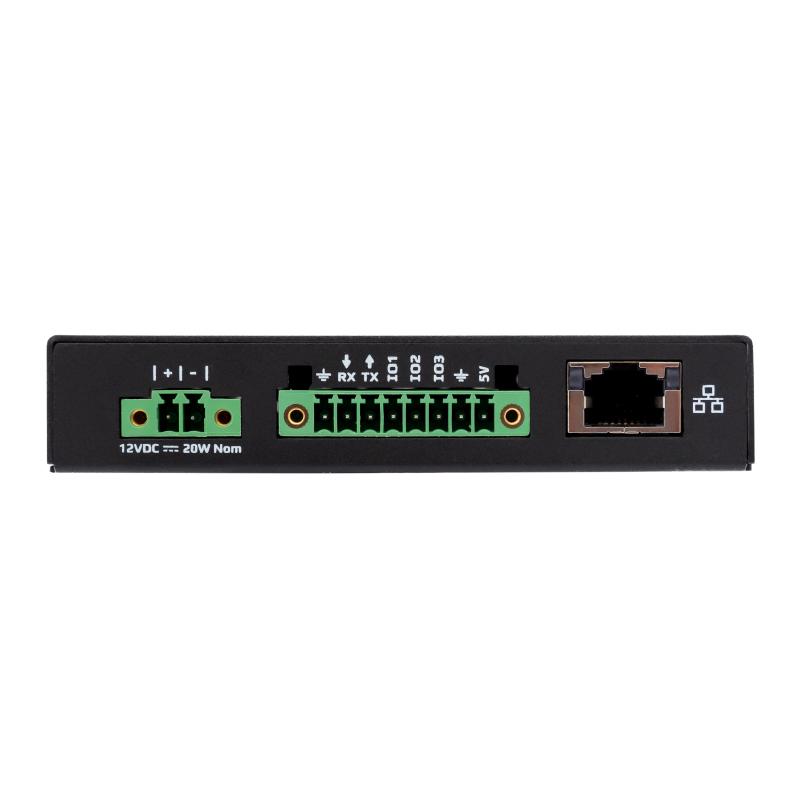
The USB-C-Switch Pro is a managed USB-C 1:4 / 4:1 port selector and multiplexer switch designed for automated device testing, validation, and A/V USB-C switching applications.
OVERVIEW
USB-C-Switch Pro is an industrial USB4 port selector and multiplexer designed for maximum control and flexibility. USB-C-Switch Pro lets developers and engineers validate, control, and test the limits of devices built on the USB Power Delivery Extended Power Range (EPR) and USB-C specification at speeds up to 40 Gbps and power levels up to 240 W. Unlike a hub, the USB-C-Switch Pro directly connects and redrives signals between a common port and one of four selectable mux channels, appearing like a cable to connected devices.
Discover Built-In Features:
- USB4 40 Gbps Switching
- 240 W USB-PD EPR
- DisplayPort 2.1 Alt Mode (up to 2 x 8K@120 Hz) video pass through
- Cable Flip Emulation & Detection
- PD Message Logging, Decoding & Injection
- Split Mode Signal Routing
- Keep-Alive Charging (KAC)
- Per-Port Voltage & Current Measurement
- Automatic Host Switching
- ±15kV ESD protection (Industrial-Grade Build)
- Reset button: single press to reboot, double press within 5 seconds to restore factory defaults
Extend the Capabilities With Add-on Features:
Universal Orientation Cable (UOC) Pair the USB-C-Switch Pro with Acroname's patented Universal Orientation Cables to enable fully automated cable flip testing without touching the cable. Available in two variants: C67-USBC-UOC for devices with shorted USB 2.0 sides and C70-USBC-UOC for devices with muxed USB 2.0 sides. learn more >
DIN Rail Mount Kit Mount the USB-C-Switch Pro on standard DIN rails for factory floor, lab, and rack installations. learn more >
External AC to DC Power Supply Acroname's recommended power supply for the 12 V DC input, freeing the Control Port for dedicated BrainStem communication. learn more >
Industrial Grade Reliability
USB-C-Switch Pro is built for the most demanding conditions when failure isn't an option. With a rugged steel enclosure, ±15kV ESD protection (IEC61000-4-2 level 4), screw-retention USB-C connectors, and DIN rail mountability, it is ready for factory floors, device farms, laboratories, or CEO-laden conference rooms. Active SuperSpeed redrivers on the Common and Mux ports compensate for signal degradation, ensuring signal integrity across the full USB4 40 Gbps data path.
PD Message Logging, Decoding & Injection
USB-C-Switch Pro provides deep visibility into PD conversations between connected devices. Log, decode, and inject USB-PD messages in real time to understand exactly how devices negotiate power contracts, including Programmable Power Supply (PPS), Adjustable Voltage Supply (AVS), and the full 240 W EPR specification.
But it goes beyond PD. The switch also captures and injects Sideband use (SBU) and DisplayPort Aux traffic, giving you complete insight into alt mode signaling. Whether you're debugging a failed negotiation, validating compliance, or reverse-engineering a third-party device's behavior, the USB-C-Switch Pro puts you in control of the conversation between devices.
Other switches let you route signals. USB-C-Switch Pro lets you understand them.
Cable Flip Testing
The switch can programmatically invert signal routing so that side A of the common port connects to side B of the mux port (and vice versa), emulating a physical cable flip without anyone touching the cable. It also supports auto-flip, so it can automatically detect and correct orientation mismatches between the common and mux sides without manual intervention.
Combined with UOCs, you can fully automate orientation testing across hundreds or thousands of cycles. Say goodbye to flipping cables by hand.
Split Mode
USB-C-Switch’s Split Mode feature gives you a level of signal routing control you won't find anywhere else. Instead of routing all signals from the common port to a single mux port, Split Mode gives you independent control - assign any signal group to any mux port: :
- VBUS (power)
- SuperSpeed (TX/RX pairs)
- High Speed (D+/D-)
- CC1, CC2 (configuration channel)
- SBU1, SBU2 (sideband use)
Control Port
What do you do when you need access to your switch's internal controller but have all of your ports in use? With the USB-C-Switch Pro, you don't have to unplug a port or undo your test setup. switch has a dedicated Control Port for access to its control function, completely independent of the common and mux ports.
The Control Port is a dedicated high-speed USB 2.0 connection for BrainStem control and device power. No other USB traffic flows on this connection, so you'll always have access to the switch's controller regardless of what's connected to the common and mux ports.
CONNECTIVITY
But the Control Port is just one option. The USB-C-Switch Pro gives you more ways to connect than any switch on the market:
- USB-C Control Port for direct, always-available BrainStem access
- Ethernet for remote and networked control (DHCP or static IP)
- RS-232 for integration with AV control systems (Extron compatible) and legacy automation
- I2C for controlling peripherals and custom integrations via the expansion connector
- Web Interface for browser-based control and monitoring with zero software installation (beta)
- GPIO for hardware port selection via the expansion connector without a software host
With BrainStem APIs available for Python, C++, .NET, and LabVIEW, plus a RESTful interface, you can integrate the USB-C-Switch Pro into virtually any test automation framework or control system.
Let's break it down. You have the Control Port for dedicated access, Ethernet for remote operation, RS-232 for AV integration, and a built-in web interface for quick browser-based control. That means whether you're at the bench, across the building, or on the other side of the world, you have full control of your switch.
Power Input
USB-C-Switch Pro can be powered two ways, both of them simple.
Control Port Power: The dedicated Control Port provides 5 V, 3 A to power the switch. One cable for both control and power.
12 V DC Input: A pluggable Euro-style terminal block on the rear panel accepts 12V DC (20 W nominal). This frees up the Control Port for dedicated BrainStem communication and is the preferred option for permanent installations. We recommend Acroname's external AC to DC power supply, or any compatible third-party 12 V DC supply.
Note: USB-C-Switch Pro is a signal multiplexer and does not source power to connected devices. Power delivery is negotiated between the device on the Common port and the device on the selected port, allowing a full 240 W EPR pass-through.
Individual Port Control (Turn Port Functions On/Off)
In addition to switching between mux ports, USB-C-Switch Pro also allows you to enable and disable individual signal functions on each port:
- SuperSpeed (SS) data
- High Speed (HS) data
- CC / VCONN configuration and power role lines
- SBU sideband signals
- VBUS power
This allows the switch to test a device using only USB 2.0, USB 3.2, or any other combination of signal groups.
Want to verify a graceful fallback when SuperSpeed is unavailable? Disable SS and test on USB 2.0 only.
Need to see how a device responds to a power-only connection? Disconnect data lines and keep VBUS active.
Want to emulate a cable unplug without physically touching anything? Disable all signal groups programmatically.
Granularity of control allows engineers to test hundreds of different configurations or run hundreds to thousands of plug-and-unplug cycles to find intermittent connection issues or validate long-term durability.
240 W USB-PD EPR Pass-Through
The USB-C-Switch Pro supports the full USB Power Delivery Extended Power Range (EPR) specification, passing up to 240 W between connected devices. That includes:
- PPS (Programmable Power Supply) for precise voltage and current steps, ideal for battery charging
- AVS (Adjustable Voltage Supply) for a variable voltage range from 5 to 48V
- Fixed PDO contracts for the simpler, coarse step negotiations
Because the switch does pass-through power, enabling devices to negotiate directly with each other, you get real-world power delivery behavior during testing. Per-port voltage and current measurements on VBUS and CC lines let you monitor exactly what's being negotiated and delivered in real time.
USB4 40 Gbps (and backward compatible)
The USB-C-Switch Pro is compatible with USB4 at the full 40 Gbps data rate and all previous USB generations, including USB 3.2 Gen2 (10 Gbps) and USB 2.0. This allows for maximum compatibility with current and previous-generation devices.
Each generation of USB connectivity has delivered increased speed and capability. USB4 provides data transfer at 40 Gbps, four times faster than USB 3.2 Gen1 (5 Gbps) and double USB 3.2 Gen2 (10 Gbps).
When performing device validation, the ability to test across all USB speed generations and ensure device backwards-compatibly is paramount. With USB-C-Switch Pro, you can test under each specific USB generation's protocols. Active SuperSpeed redrivers on both the common and mux ports compensate for signal loss, maintaining signal integrity across the full speed range.
DisplayPort Alt Mode
USB-C-Switch Pro routes DisplayPort 2.1 Alt Mode signals at UHBR20 speeds, supporting resolutions up to 2 x 8K@120 Hz. Configurable lane modes include:
- 4-lane DisplayPort (common side or mux side to host)
- 2-lane DisplayPort with USB 3.1 (both orientations, including inverted)
- USB4 / Thunderbolt (including inverted)
More and more devices rely on a single USB-C cable to carry video, data, and power simultaneously. The USB-C-Switch Pro lets you validate display output across every supported Alt Mode configuration without rewiring. In conference room setups, DisplayPort routing happens automatically during host switching. In test environments, you can cycle through every lane configuration programmatically.
Whether you're building a dock, a monitor, a laptop, or a conference room system, the USB-C-Switch Pro gives you the tools to validate that your DisplayPort implementation works across every supported mode.
Keep-Alive Charging (KAC)
Keep-Alive Charging provides 5 V at 500 mA to inactive mux ports, keeping connected devices charged and ready even without an active connection.
In a device testing lab, you might have four phones connected to the switch but only test one at a time. Without KAC, the idle phones drain their batteries while waiting. With KAC, they stay charged and ready for their turn. In a conference room, a visitor's laptop stays topped up on an inactive port until it becomes the active host.
KAC includes built-in thermal and overcurrent protection. If a fault occurs, you'll need to disable and re-enable KAC to restore it. It does not provide USB-PD, BC1.2, or QuickCharge, so it won't interfere with power delivery testing on the active port.
Note: KAC is automatically disabled when Split Mode is active.
Painless Presentations
With Acroname's automatic host-switching technology, when a user's laptop is plugged into the USB-C-Switch Pro, all connected peripherals, including displays, cameras, room audio, network, and power, automatically switch from the conference room PC to that user's machine through a single USB-C cable. When the laptop disconnects, peripherals reconnect to the room PC automatically. No software to install. No buttons to press. Just plug in and present.
Cable Flipping with UOC
While you can plug a USB-C cable in either way, there remains a defined orientation of the cable. Each USB-C cable has an "A" and a "B" side. These mirror each other in some ways, but not exactly. The orientation of a cable can make a difference depending on your intended use, because different groups of pins are accessed to achieve the desired function for power or data transfer.
When you perform device testing and validation, you need to prove that your device can operate with a variety of USB-C pin configurations. A device’s end-user may want to perform tasks that are completely within the scope of USB-C but outside the day-to-day norms you'd expect.
How do you ensure that a device is fully functional for USB-C? Until recently, you'd have to run a cycle of tests in one orientation, manually flip every cable for your devices under test, and then run that same cycle of tests again.
We designed and patented the ability to programmatically flip and test USB-C orientations. While we can create a switch that commands a cable to flip without manually flipping it, we needed to design a cable without a defined orientation.
Automotive Testing: CarPlay & Android Auto
USB-C-Switch Pro is purpose-built for automotive head unit development and validation. Sequentially test a single head unit against multiple phones (both iOS and Android), or test a single phone against multiple head units, all without touching a cable.
Combined with cable flip emulation, you can test both USB-C orientations on every device combination. Use PD message logging to debug charging issues between the head unit and phone. Automate plug-and-unplug cycles to validate connection reliability over hundreds of iterations. USB-C-Switch Pro handles the complexity so your engineers can focus on the results.
Per-Port Voltage & Current Measurement
USB-C-Switch Pro provides real-time electrical measurements across all ports, giving you complete visibility into what's happening on the wire:
Common Port:
- VBUS voltage and current
- CC1, CC2 voltage and current
- SBU1, SBU2 voltage
Mux Ports (0-3) and Control Port:
- VBUS voltage and current
- CC1, CC2 voltage
Use these measurements to monitor power negotiations in real time, validate that devices draw the correct current, detect anomalies in CC signaling, and verify SBU line behavior during Alt Mode operation. All measurements are accessible through the BrainStem API, and HubTool.
A/V SOLUTIONS
In the professional A/V space, automatic host switching brings simple Bring-Your-Own-Meeting (BYOM) solutions to complex conference room setups.
SOFTWARE APIS
Simple software APIs allow control, monitoring, and automation of all port functions, including signal routing, cable flip emulation, PD message logging, and real-time voltage and current measurements. The cross-platform HubTool application, built-in web interface, and multi-language BrainStem API are available to help explore device capabilities and control everything in your USB-C life.
- Supports USB Power Delivery Extended Power Range (EPR) up to 240 W including PPS and AVS
- USB4 (40 Gbps), USB 3.2 Gen2 (10 Gbps) and USB 2 switching
- DisplayPort 2.1 Alt Mode routing (1-4 lanes, UHBR20, up to 2 x 8k@120Hz)
- USB-PD, SBU, and DisplayPort Aux message logging, decoding, and injection
- Enable/Disable any port for automation Type-C hot-plug / unplug actions
- Automate type-C connector flip actions (using Acroname UOC cable)
- Monitor voltage, current on all ports
- Full control via USB Control port, Ethernet, I2C, RS-232, or port selection via GPIO
- Screw retention on all USB-C, DC power, and external IO ports
- TAA compliant
- 1 - USB-C-Switch Pro 4-port USB4 40Gbps 240 W EPR Switch
- 1 - USB-C male-to-male full featured e-marked cable 40Gbps, single screw single side, 1M C69-USBC-C
- 2 - USB-C male-to-male full featured e-marked cable 80Gbps, 0.3M
- 2 - Acroname Universal Orientation Cables (UOC), 0.7M 1x C67-USB-UOC 1x C70-USB-UOC
- 1 - 8 Position Terminal Block Plug
- 1 - Quick Start Guide
- 1 - 36W 12V DC Power Supply R405-AC/DC-12V-3A
People Also Viewed
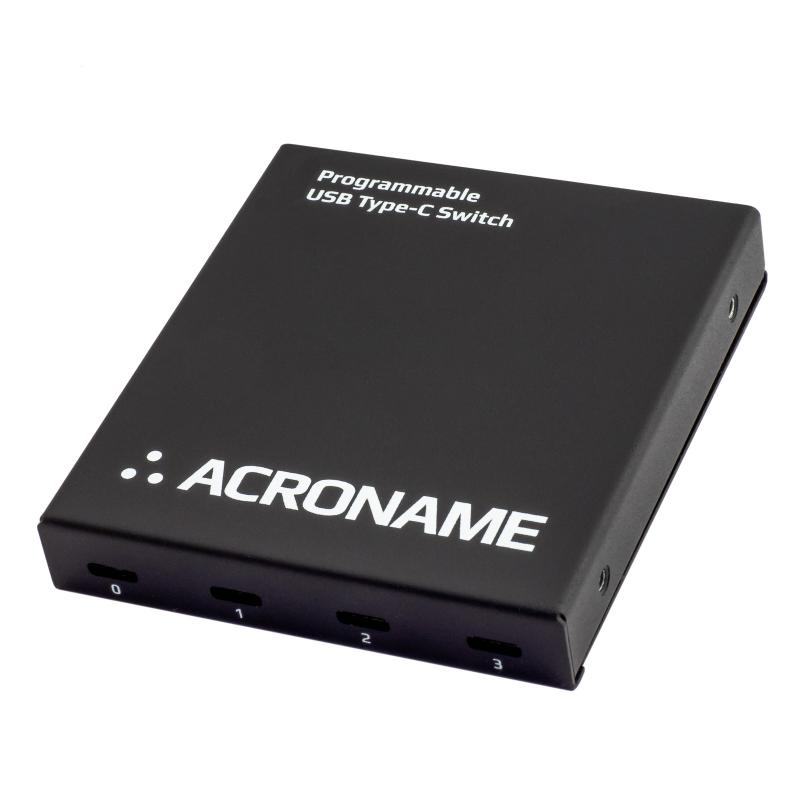
Automate port switching, hot-plug & type-C connector flips. Monitor Vbus & Vconn voltage & current.
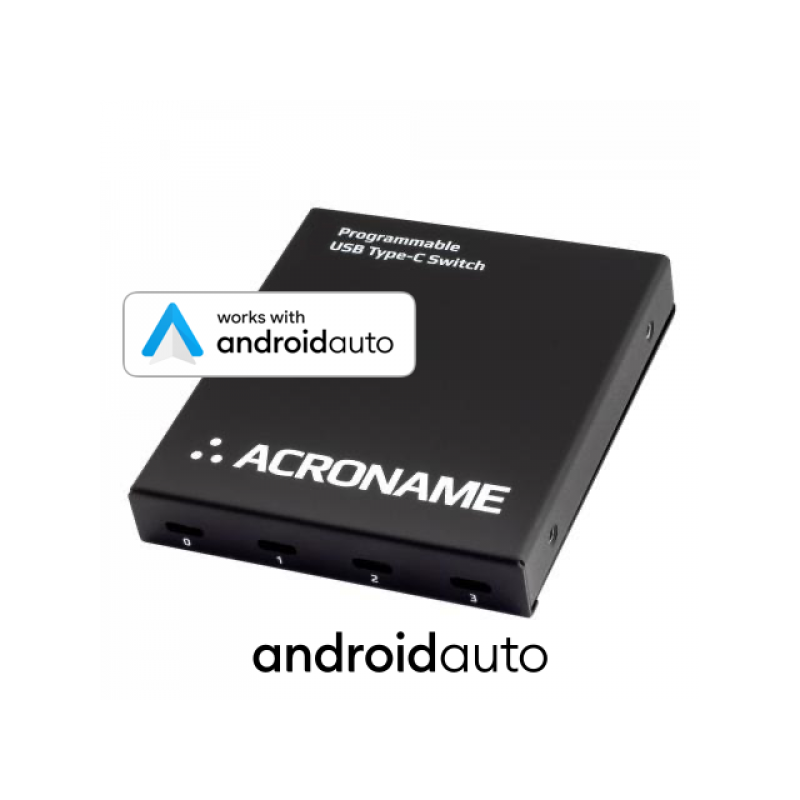
Everything needed to set up the connections required for the Android Auto connectivity validation and certification test. Combined with software from Google, this package has all the hardware needed to get started with Android Auto testing: the Redriver model USB-C-Switch, four (4) 3.28ft USB-C to C e-marked cables, and one 1.5ft USB-C to A cable.
Add New Review